


15 User Acceptance Testing Prompts to Streamline Your QA Process


Modern QA teams are using AI to cut UAT preparation time by 70%. In this article we’ll provide 15 prompts that will help you generate test cases, analyze results, and communicate findings faster than ever.
Why AI Prompts Transform UAT
User Acceptance Testing (UAT) is a critical stage in any software project. And if you’ve ever had to manage UAT sessions, you’ll also know that the planning phase can be absolutely brutal! You need to write comprehensive test cases, define acceptance criteria, and document results. All of which eats up hours of your time that you simply don’t have.
Luckily AI-powered prompts help solve this by acting as your QA co-pilot. Instead of starting from scratch every sprint, you can generate structured test plans, edge case scenarios, and stakeholder reports in minutes.
The best part? These prompts work with any major LLM (ChatGPT, Claude, Gemini) and complement tools like Userback that help you execute and track the actual testing.
How to Use These Prompts
Each prompt below is copy-paste ready. Simply:
- Copy the prompt from the code block
- Replace bracketed placeholders with your specific details
- Paste into your preferred AI tool (ChatGPT, Claude, etc.)
- Refine the output based on your team’s needs
- Feed results into Userback for execution and tracking
Test Case Generation Prompts
1. Generate Comprehensive Test Cases for a Feature
When to use this prompt:
This prompt is ideal when starting UAT for a new feature or major update. It’s a great foundational prompt when you need comprehensive test coverage quickly but don’t have time to write 50+ test cases from scratch.
Best for QA leads and product managers who need to delegate testing to distributed teams and want consistent, well-structured test documentation that covers all the basics without missing critical workflows.
Copy this prompt:
I need to create comprehensive user acceptance test cases for [FEATURE NAME] in our [TYPE OF APPLICATION].

Feature description: [BRIEF DESCRIPTION]
User roles who will test: [LIST ROLES]
Key workflows: [LIST 2-3 MAIN WORKFLOWS]

Generate 10-15 test cases that cover:
- Happy path scenarios
- Common user workflows
- Permission/role-based access
- Data validation
- Integration points

For each test case, provide:
- Test case ID
- Test scenario description
- Preconditions
- Test steps (numbered)
- Expected result
- Priority (High/Medium/Low)
Example output:
TC-001: Create New Project - Admin User
Priority: High

Preconditions:
- User is logged in with Admin role
- User is on Projects dashboard

Test Steps:
1. Click "New Project" button
2. Enter project name: "Q4 Website Redesign"
3. Select project template: "Marketing Campaign"
4. Add team members: John Doe, Jane Smith
5. Click "Create Project"

Expected Result:
- Project is created and appears in Projects list
- User is redirected to project overview page
- Team members receive email notification
- Project ID is generated and displayed
Tip: Run this prompt multiple times focusing on different aspects (security, performance, mobile) to build a complete test suite.

2. Generate Edge Case Scenarios
When to use this prompt:
This prompt helps you stress-test the edge cases of your new features. Use it after your basic test cases are written but before UAT begins, so developers can fix edge cases early.
Perfect for senior QA engineers who know that real users do unexpected things like copying 10,000 characters into a field or uploading files during network interruptions. This prompt helps you think like a malicious user or an extremely unlucky one.
Copy this prompt:
I'm testing [FEATURE NAME] and need edge case scenarios that might break it.

Feature details: [DESCRIPTION]
Technical constraints: [LIST ANY LIMITS - e.g., max file size, character limits, rate limits]
Browser/platform support: [LIST SUPPORTED PLATFORMS]

Generate 8-10 edge cases covering:
- Boundary value testing
- Invalid input scenarios
- Performance limits
- Unusual user behavior
- Browser/device compatibility issues

Format each as: Scenario | What could break | Expected handling
Example output:
Scenario: User uploads 50MB file when limit is 25MB
What could break: File upload crashes, hangs browser, or silently fails
Expected handling: Show error message "File size exceeds 25MB limit" before upload starts

Scenario: User enters 10,000 characters in 500-character limit field
What could break: UI breaks, data truncates without warning, form submission fails
Expected handling: Prevent input after 500 chars + show character counter + validation message
Tip: Share these edge cases with your dev team before UAT starts to help catch and fix them earlier.
3. Build Regression Test Suite
When to use this prompt:
Consider this prompt when you have a major release affecting multiple features, or when you’re deploying infrastructure changes that could break existing functionality. It’s essential before any release where you’re touching shared components, database schemas, or core libraries.
Best for release managers who need to ensure nothing breaks in production while new features ship. This prompt creates a safety net checklist that catches regressions before customers do.
Copy this prompt:
I need a regression test suite for [APPLICATION/FEATURE AREA] after deploying [WHAT CHANGED].

Areas potentially affected: [LIST AREAS]
Critical user workflows: [LIST 3-5 MUST-WORK WORKFLOWS]
Previous bug history: [MENTION ANY RECURRING ISSUES]

Create a prioritized regression test checklist that:
1. Verifies core functionality still works
2. Tests integrations between affected and unaffected areas
3. Validates no new bugs in previously stable features

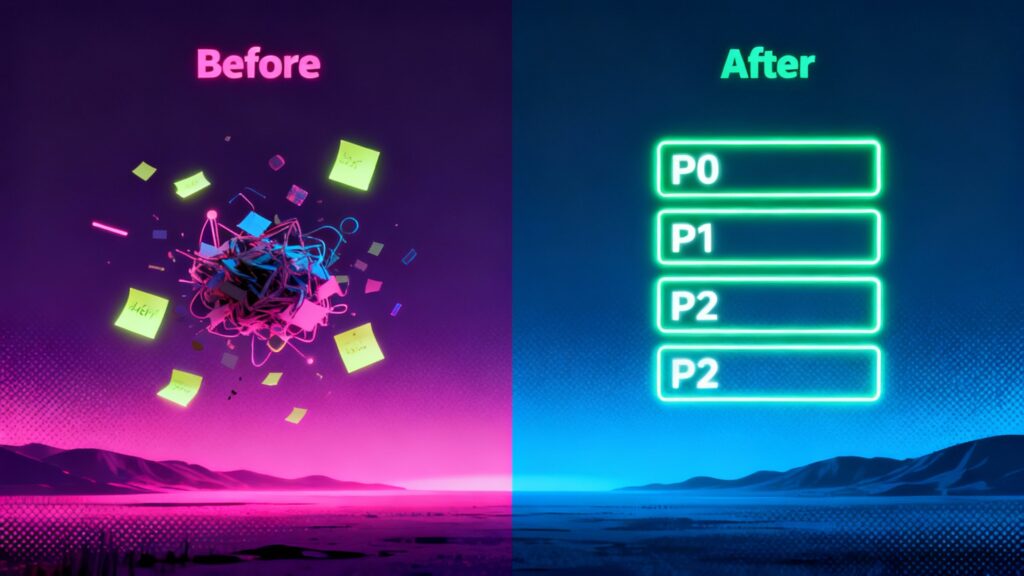
Organize by priority: P0 (must work), P1 (should work), P2 (nice to verify)
Example output:
**P0 - Critical (must work before release):**
☐ User login/logout functionality
☐ Payment processing completes successfully
☐ Data saves and persists correctly
☐ User permissions enforce correctly

**P1 - High Priority (should work):**
☐ Email notifications send properly
☐ Export to PDF generates correctly
☐ Search returns accurate results
Tip: Turn this into a shared checklist so multiple testers can collaborate and check off items as they verify.
UAT Plan Creation Prompts
4. Build Complete UAT Plan
When to use this prompt:
Try this prompt when starting a new testing cycle from scratch, or when stakeholders need formal documentation of your testing approach. Critical for major releases, client-facing projects, or regulated industries where you need audit trails.
Ideal for QA managers who need buy-in from leadership before allocating testing resources. This prompt creates the strategic overview that turns “we’ll test it” into a credible, time-boxed plan with clear success criteria.
Copy this prompt:
Share [this plan] with stakeholders before testing starts to align expectations and get buy-in.Example output:
**UAT Plan: Mobile App v2.3 Release**

Objective: Validate new offline mode and sync functionality meets user needs

Success Criteria:
- 95% of test cases pass
- Zero P0/P1 bugs remain at sign-off
- All user roles complete critical workflow testing
- Performance meets <3s load time target

Scope:
In Scope: Offline mode, background sync, conflict resolution, error handling
Out of Scope: Existing features unchanged in v2.3, admin panel (separate test cycle)Tip: Share this plan with stakeholders before testing starts to align expectations and get buy-in.
5. Define Acceptance Criteria
When to use this prompt:
This prompt is particularly useful when converting vague requirements into testable criteria, or when product managers hand you user stories that say “it should work well.” Use this during sprint planning before development starts to prevent scope creep and endless “is this a bug or expected behavior?” debates.
Perfect for BAs and QA leads who need to translate business wishes into binary pass/fail conditions. This prompt stops “it doesn’t feel right” from being valid UAT feedback.
Copy this prompt:
I need clear acceptance criteria for this user story:

[PASTE USER STORY]

Convert this into specific, measurable acceptance criteria following the format:
"Given [context], When [action], Then [expected outcome]"

Include:
- Functional requirements
- Non-functional requirements (performance, usability)
- Edge cases
- What would make this FAIL acceptance
Example output:
User Story: "As a project manager, I want to export project reports to PDF so I can share progress with stakeholders."

**Acceptance Criteria:**

✓ Given I'm viewing a project report, When I click "Export to PDF", Then a PDF downloads within 5 seconds
✓ Given the report has images, When exported to PDF, Then all images render at full quality
✓ Given I have no projects, When I try to export, Then I see message "No data to export"

**Failure Criteria:**
✗ PDF takes longer than 10 seconds to generate
✗ Images are missing or corrupted in PDF
✗ Export button is clickable but does nothing
Tip: Use these criteria as your test case checklist. If all criteria pass, then the feature passes.

6. Create Testing Timeline
When to use this prompt:
Use this prompt when planning your UAT schedule across multiple features or sprints, especially when you need to coordinate testers, developers, and release dates. Essential when stakeholders ask “how long will testing take?” and you need a realistic answer that accounts for bug fix cycles.
Best for project managers juggling multiple testing streams who need to identify timeline risks before they derail the release. This prompt builds in the buffer time everyone forgets about.
Copy this prompt:
Create a realistic UAT timeline for:

Features to test: [LIST FEATURES]
Testing team size: [NUMBER] testers
Testing window: [START DATE] to [END DATE]
Complexity: [LOW/MEDIUM/HIGH] for each feature

Break down into:
- Test preparation phase
- Active testing phase
- Bug fix cycles
- Regression testing
- Sign-off phase

Flag any timeline risks and suggest mitigation.
Example output:
**UAT Timeline: January 15 - February 5 (3 weeks)**

Week 1 (Jan 15-19): Preparation
- Jan 15-16: Environment setup, test data creation
- Jan 17-19: Test case review and tester training

Week 2 (Jan 22-26): Active Testing
- Jan 22-24: Feature testing (3 testers)
- Jan 25-26: Bug reporting and triage

⚠️ Risk: Only 3 testers for 5 major features - consider extending timeline by 3 days
Tip: Build in buffer time as UAT often takes longer than planned.
Results Analysis Prompts
7. Analyze UAT Results and Prioritize Fixes
When to use this prompt:
Try this prompt when you have a pile of test results and bug reports to make sense of, and leadership is asking “can we ship?” Use this when UAT wraps up and you need to turn raw data into a clear recommendation. Critical for release decision meetings where you need to defend why certain bugs can wait and others can’t.
Perfect for QA leads who need to present findings to non-technical stakeholders in a way that supports data-driven go/no-go decisions.
Copy this prompt:
Analyze these UAT results and help me prioritize fixes:

[PASTE: Number of test cases run, pass/fail rates, list of bugs found with severity]

Release date: [DATE]
Development capacity: [HOURS/RESOURCES AVAILABLE]

Provide:
1. Overall UAT health assessment
2. Prioritized bug fix list (must-fix vs. can-defer)
3. Risk analysis for releasing with known issues
4. Recommendation: Go/No-Go decision
Example output:
**UAT Health: ⚠️ MODERATE RISK**

Results Summary:
- 87% pass rate (131/150 test cases)
- 19 bugs found: 2 Critical, 5 High, 8 Medium, 4 Low

**Must Fix Before Release (P0):**
1. #BUG-342: Payment processing fails for amounts >$1000 [Critical]
2. #BUG-338: Data loss when user navigates away during save [Critical]

**Should Fix (P1):**
3. #BUG-355: Mobile upload button hidden on iOS Safari [High]

**Recommendation: NO-GO** - Fix P0 bugs, re-test, then release. Est. 2 days needed.
Tip: Use this analysis in your go/no-go meetings as it provides data-driven decision support.

8. Identify Patterns in Bug Reports
When to use this prompt:
This prompt is ideal when you have multiple bugs that seem related and you want to find the root cause instead of treating symptoms. Use this when you suspect there’s a systemic issue causing several different bugs, or when the same type of problem keeps appearing across different features.
Ideal for technical QA leads who can work with developers to address architectural issues. This prompt helps you deliver “fix validation at the framework level” instead of “fix these 12 individual bugs”, helping you save weeks of work.
Copy this prompt:
I have these bug reports from UAT. Help me identify patterns or common root causes:

[PASTE: List of 5-10 bug descriptions]

Analyze for:
- Recurring themes
- Possible common root cause
- Areas of the application most affected
- Whether these indicate a deeper architectural issue
Example output:
**Pattern Identified: Form Validation Issues**

4 of 7 bugs relate to form validation:
- Bug #1: Phone number accepts letters
- Bug #3: Email validation allows invalid formats
- Bug #5: Required fields can be submitted empty
- Bug #7: Character limits not enforced

**Likely Root Cause:** Frontend validation is missing or inconsistent. Backend validation may exist but errors aren't surfaced to users.

**Recommendation:** Implement centralized validation library across all forms rather than fixing each bug individually.
Tip: Finding patterns can turn 10 individual bugs into one systematic fix, saving you weeks of work.
9. Generate Executive Summary
When to use this prompt:
Try this prompt when your Leadership team wants UAT results but doesn’t need technical details like stack traces and reproduction steps. Use this when preparing for executive reviews, board meetings, or client status calls where decision-makers need the bottom line.
Perfect for QA managers who need to translate “137 test cases with 4 P1 bugs in the reporting module” into business impact language. This prompt keeps executives informed without drowning them in QA jargon.
Copy this prompt:
Create an executive summary of our UAT results for leadership:

Testing period: [DATES]
Features tested: [LIST]
Team size: [NUMBER] testers
Key metrics: [PASS RATE, BUGS FOUND, ETC.]
Release impact: [DESCRIBE]

Format as:
- One-sentence overall status
- 3-5 key findings (bullet points)
- Risk assessment
- Recommended next steps
- One-sentence timeline

Keep it non-technical and focused on business impact.
Example output:
**UAT Executive Summary: Mobile App v2.0**

**Status:** Testing complete; ready for release with minor known issues.

**Key Findings:**
✓ Core functionality validated by 15 users across 3 departments
✓ New offline mode works as expected in 95% of test scenarios
⚠️ 2 non-critical bugs identified in reporting module (workaround available)
✓ Performance exceeds targets: 40% faster than v1.9

**Risk:** Low - No blockers; minor issues have acceptable workarounds

**Next Steps:** Deploy to production Jan 30; address non-critical bugs in Feb update
Tip: Keep it to one page or less as executives tend to skim and not fully read.
Ready to execute your UAT plan?
Try Userback’s visual feedback tools to execute testing with your team. Capture bugs with automatic screenshots, session replays, and console logs and analyze results with the prompts above.
Bug Report Writing Prompts
10. Convert User Feedback into Structured Bug Reports
When to use this prompt:
This prompt is useful when testers submit vague feedback and you need proper bug reports that developers can actually work with. Essential when working with non-technical UAT testers like business users, executives, or customers who report issues but don’t know how to write reproduction steps.
Best for QA coordinators triaging feedback from distributed testing sessions. This prompt transforms “it’s broken” into actionable bug tickets developers won’t immediately close as “cannot reproduce.”
Copy this prompt:
Convert this user feedback into a structured bug report:

[PASTE: Raw user feedback like "The thing doesn't work" or "It's broken"]

Generate a proper bug report with:
- Bug title (clear and specific)
- Steps to reproduce
- Expected behavior
- Actual behavior
- Severity classification
- Suggested workaround if any
Example output:
**Original feedback:** "Can't upload files, keeps giving me errors"

**Bug Report:**

Title: File upload fails with generic error for .PDF files >10MB

Steps to Reproduce:
1. Navigate to Documents page
2. Click "Upload File" button
3. Select any PDF file larger than 10MB
4. Click "Upload"

Expected: File uploads successfully with progress indicator
Actual: Generic error message "Upload failed" appears; no file size guidance

Severity: Medium (workaround exists: compress PDF before upload)
Affected: PDF uploads >10MB
Workaround: Use PDF compressor tool before uploading
Tip: Train your testers to use this prompt when they’re stuck describing an issue. Or better yet, empower your testers to automatically submit high-contextual bug reports by default with Userback.

11. Add Reproduction Steps to Bug Reports
When to use this prompt:
Try this prompt when reproduction steps are unclear, or when developers keep closing your bugs as “can not replicate.” Use this when you’ve found a legitimate issue but can’t quite articulate how to trigger it consistently.
Perfect for testers who understand the bug but struggle with technical documentation. This prompt helps you write reproduction steps clear enough that a developer who’s never seen your app could replicate the issue on the first try.
Copy this prompt:
I found a bug but need help writing clear reproduction steps:

Bug description: [WHAT GOES WRONG]
When it happens: [CONTEXT]
What I was trying to do: [USER GOAL]
Environment: [BROWSER, OS, APP VERSION]

Write detailed reproduction steps that a developer could follow to see the bug themselves.
Example output:
**Bug:** Dashboard widgets disappear after refresh

**Reproduction Steps:**
1. Log in as Standard User (not Admin)
2. Navigate to Dashboard (URL: /dashboard)
3. Customize dashboard by adding 3 widgets:
   - Sales Chart
   - Recent Activity
   - Quick Stats
4. Click "Save Layout" button
5. Refresh the page (F5 or Cmd+R)

**Result:** All 3 custom widgets disappear; dashboard reverts to default layout

**Additional Info:**
- Browser: Chrome 120.0.6099.129
- OS: Windows 11
- Occurs 100% of the time
- Does NOT occur for Admin users
Tip: Good reproduction steps are the difference between a bug getting fixed in hours vs. days. Help your developers see exactly how to reproduce an issue by including a session reply with bug reports.
Stakeholder Communication Prompts
12. Write UAT Status Update
When to use this prompt:
Try this prompt to assist with your weekly standup, or when stakeholders need visibility into testing progress without attending another meeting. Use this for regular cadence updates (Monday morning, Friday EOD) that keep everyone aligned on what’s been tested, what’s blocked, and what’s next.
Ideal for QA leads managing remote or async teams across time zones. This prompt creates consistent, scannable updates that respect everyone’s time while maintaining transparency.
Copy this prompt:
Write a UAT status update for this week:

Week of: [DATE]
Completed this week: [WHAT WAS TESTED]
Progress metrics: [NUMBERS - test cases run, bugs found, etc.]
Blockers: [ANY ISSUES]
Next week plan: [WHAT'S NEXT]

Tone: Professional but concise. Format for Slack or email.
Example output:
**UAT Update - Week of Jan 22**

✅ **Completed:**
- Tested checkout flow across 5 user roles (30 test cases)
- Validated mobile responsiveness on iOS/Android
- Regression testing on payment integrations

📊 **Metrics:**
- 85% test cases passed (26/30)
- 4 new bugs logged (1 High, 3 Medium)
- 2 bugs fixed and re-tested ✓

🚧 **Blockers:**
- Waiting on dev fix for #BUG-127 before testing discount codes

⏭️ **Next Week:**
- Complete discount code testing
- Final regression sweep
- UAT sign-off meeting scheduled for Friday
Tip: Send these updates every Monday and Friday to keep stakeholders informed without meetings.

13. Create Test Coverage Reports
When to use this prompt:
This prompt is great for when stakeholders want to know “what exactly did you test?”, or you need documentation for compliance audits and regulatory requirements. Essential for industries like healthcare, finance, or enterprise software where test coverage must be formally documented.
Perfect for QA managers preparing for ISO audits, SOC 2 reviews, or client-requested testing evidence. This prompt creates the coverage matrix that proves due diligence and identifies gaps before they become problems.
Copy this prompt:
Generate a test coverage report showing what we tested:

Features/modules: [LIST]
Test cases executed: [NUMBER]
User roles tested: [LIST]
Devices/browsers: [LIST]
Test types performed: [e.g., functional, integration, regression]

Format as a coverage matrix or summary that shows:
- What was fully tested ✓
- What was partially tested ⚠️
- What wasn't tested ✗
Example output:
**UAT Coverage Report**

| Module | Functional | Integration | Mobile | Regression | Status |
|--------|-----------|-------------|--------|------------|--------|
| User Auth | ✓ | ✓ | ✓ | ✓ | Complete |
| Dashboard | ✓ | ✓ | ⚠️ | ✓ | Partial* |
| Reports | ✓ | ✗ | ✗ | ✓ | Incomplete |
| Settings | ✓ | ✓ | ✓ | ✓ | Complete |

*Dashboard: iOS Safari testing pending device availability

**Coverage Summary:**
- 87% of planned test cases executed
- All critical paths tested across 4 user roles
- 3 browsers tested (Chrome, Firefox, Safari)
Tip: This report is extremely valuable for compliance and audit trails.
14. Draft Go/No-Go Recommendation
When to use this prompt:
This prompt helps you at “decision time” by providing clarity on whether you should ship or delay. Use this when UAT is complete and you need to make a formal release recommendation to leadership. Critical for high-stakes releases where the wrong decision costs revenue or reputation.
Best for senior QA leads who own the quality gate and need to balance business pressure to ship against technical reality. This prompt structures your recommendation so it’s defensible whether you say go or no-go, with clear reasoning and risk mitigation.
Copy this prompt:
Help me write a go/no-go recommendation for release:

Release date: [DATE]
UAT results: [PASS RATE, CRITICAL BUGS, ETC.]
Known issues: [LIST P0/P1 BUGS]
Business context: [DEADLINE FLEXIBILITY, CUSTOMER IMPACT, ETC.]

Provide:
1. Clear GO or NO-GO recommendation
2. Rationale (3-4 bullet points)
3. Conditions for go (if applicable)
4. Risk mitigation plan
Example output:
**Recommendation: CONDITIONAL GO**

**Rationale:**
✓ 94% test pass rate exceeds 90% threshold
✓ Zero critical bugs remain open
⚠️ 2 high-priority bugs have acceptable workarounds
✓ Core user journeys validated successfully

**Conditions for Go:**
1. Apply hotfix for #BUG-189 (high priority) within 48 hours of release
2. Document workaround for #BUG-203 in release notes
3. Monitor error rates closely for first 72 hours

**Risk Mitigation:**
- Support team briefed on known issues
- Rollback plan tested and ready
- Hotfix pipeline cleared for rapid deployment if needed
Tip: Attach your test metrics and bug list to support your recommendation.
Test Data & Scenarios Prompt
15. Generate Realistic Test Data
When to use this prompt:
Try this prompt when you need sample data that feels real for testing but don’t have access to production data, or can’t use it due to privacy regulations. Use this during test environment setup before UAT begins, especially for testing data-heavy features like reports, dashboards, or search functionality.
Perfect for QA engineers setting up demo environments or testing edge cases like pagination with 500 records. This prompt creates realistic data sets without the compliance nightmare of using real customer information.
Copy this prompt:
Generate realistic test data for UAT:

Data type needed: [e.g., user profiles, products, transactions]
Quantity: [NUMBER] records
Must include: [SPECIFIC FIELDS]
Constraints: [ANY RULES - e.g., dates within last 6 months, prices $10-$500]

Make it realistic but obviously test data (use fake company names, test email domains, etc.)
Format as: [CSV/JSON/TABLE]
Example output:
**Test User Profiles (10 records)**

| User ID | Name | Email | Role | Department | Last Login |
|---------|------|-------|------|------------|------------|
| TEST001 | Alex Chen | alex.chen@testco.example | Manager | Sales | 2025-01-20 |
| TEST002 | Sam Rivera | sam.r@testco.example | User | Marketing | 2025-01-19 |
| TEST003 | Jordan Kim |
Tip: Using obviously fake data (like Test Co. and example.com domains) prevents accidentally treating test data as real.

From Prompts to Action: Using Userback
These prompts help you plan UAT faster. But you still need to execute and track testing. That’s where Userback comes in.
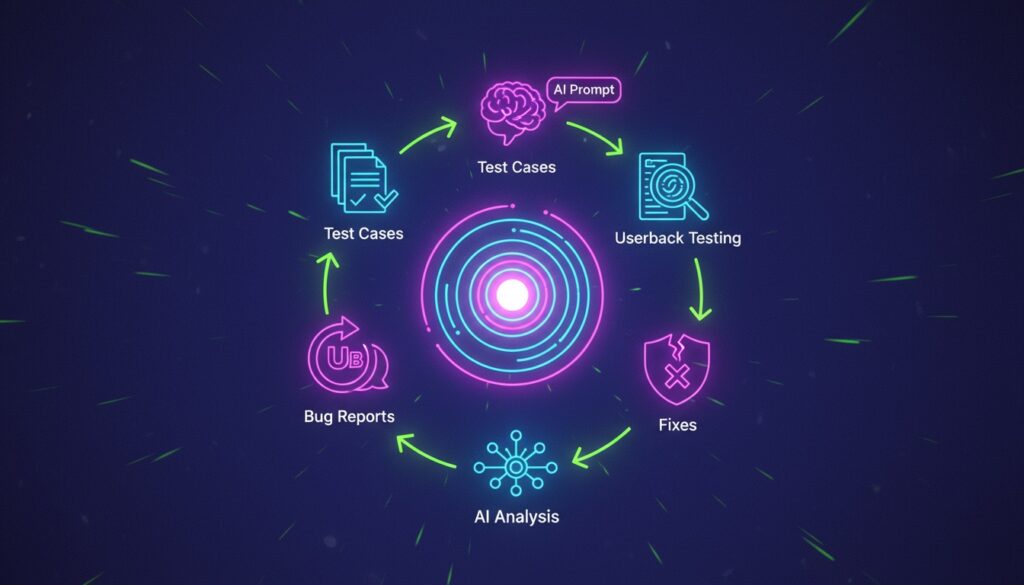
The workflow:
1. Collect: Use prompts to generate test cases. Add them as test scenarios in your site and install Userback to collect feedback during the UAT session.
2. Understand: Testers use Userback’s visual feedback tools to submit feedback with annotated screenshots and session replay.
3. Act: Userback’s feedback management features help you respond to UAT feedback and resolve issues faster. Track resolution in Userback and re-test as necessary with your UAT checklist.
Why this combo works:
✓ AI prompts = speed in planning and analysis
✓ Userback = structure in execution and tracking
✓ Together = complete UAT workflow from test cases to sign-off
Userback features that pair perfectly with these prompts:
- Visual feedback: Testers click to highlight issues directly on your app and auto-collects browser, OS, console logs
- Session replay: See exactly what users did before hitting a bug
- Feedback management: Organize all test findings in one place and assign issues to your team to fix
- Integrations: Push bugs to Jira, Linear, GitHub with full context
What Makes These Prompts Different
These aren’t generic UAT testing templates. They’re purpose-built for UAT workflows and designed to accelerate real testing projects with AI.
These prompts are:
✓ Actually tested on real UAT projects
✓ Copy-paste ready with clear placeholders
✓ Comprehensive across the entire UAT lifecycle
✓ LLM-agnostic (work with ChatGPT, Claude, Gemini, etc.)
✓ Designed to integrate with tools like Userback
Your Turn
Pick one prompt from this list and try it in your next UAT cycle. A good place to start is prompt #1 or #4 as they’re the most universally useful.
Then, once you have your test cases planned, use Userback to execute testing with your actual team. The combination of AI-accelerated planning + structured execution tools is what modern QA teams are using to ship faster without sacrificing quality.
Related Resources:
- User Acceptance Testing Explained: A Guide To UAT Best Practices
- The Future of Product Management: 7 Trends Shaping 2025 & Beyond