WordPress Feedback Plugin: Collect Visual Feedback
Get feedback from your website with our advanced feedback plugin. Stop struggling with unclear feedback and start getting actionable insights to improve your WordPress site faster.

Join over 20,000 teams collecting more insights with Userback

















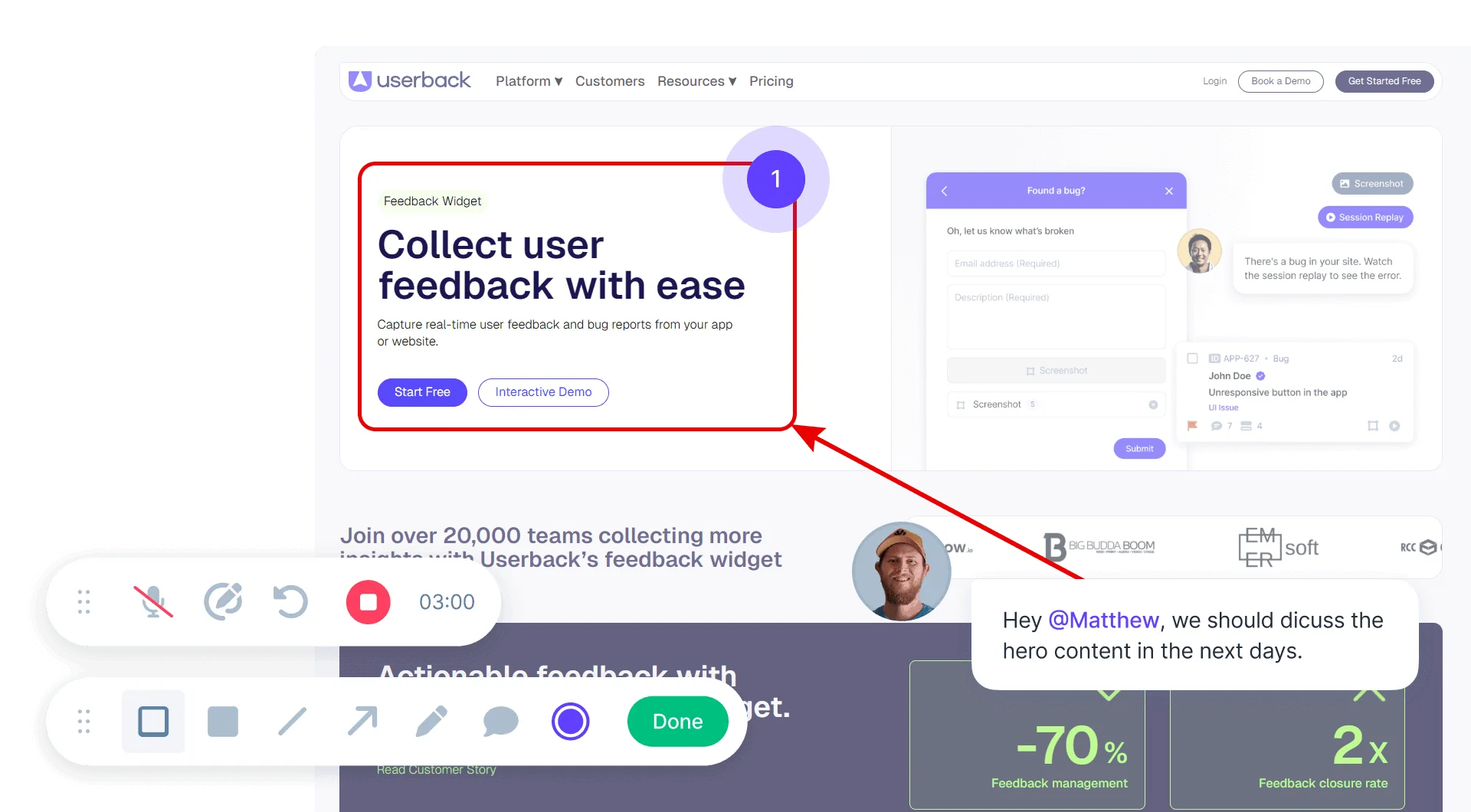
Collect user feedback with our WordPress plugin
Make it easy for your WordPress website users and customers to provide feedback directly on your website with our powerful user feedback plugin.
- WordPress Feedback Widget that feels native to your site
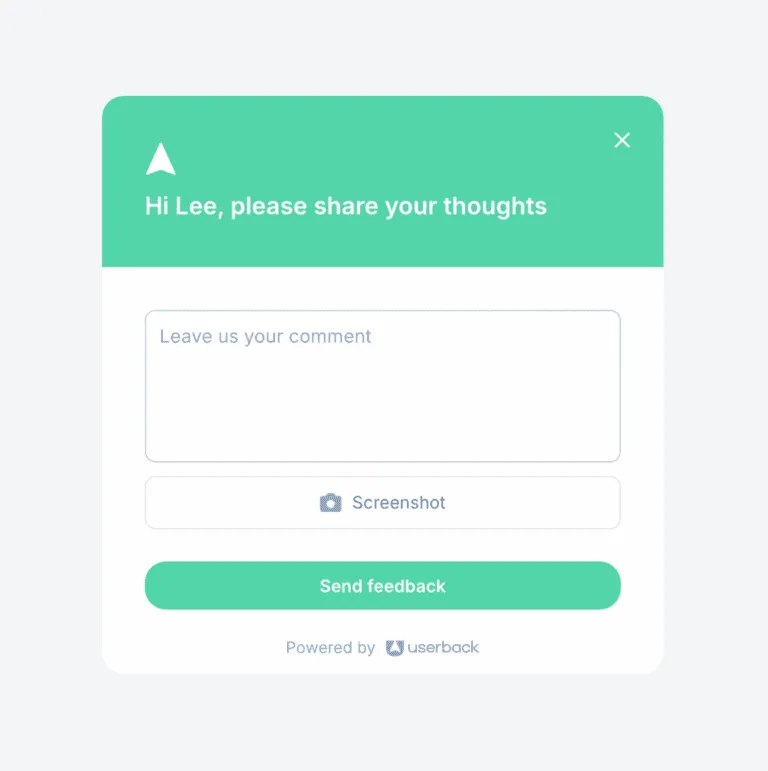
- Capture Annotated Screenshots with comments
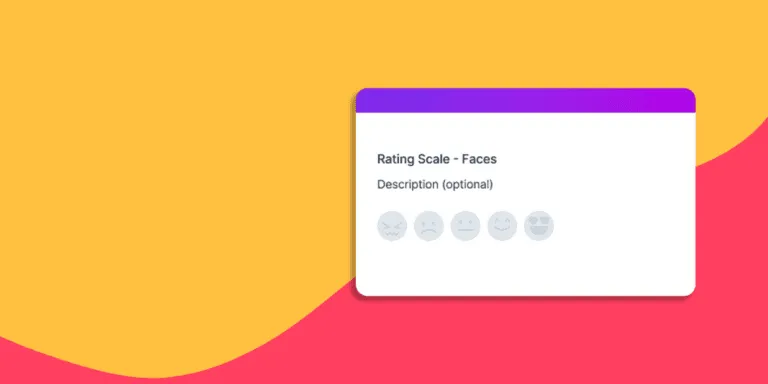
- Collect user feedback with targeted Surveys
Understand issues faster with actionable visual feedback
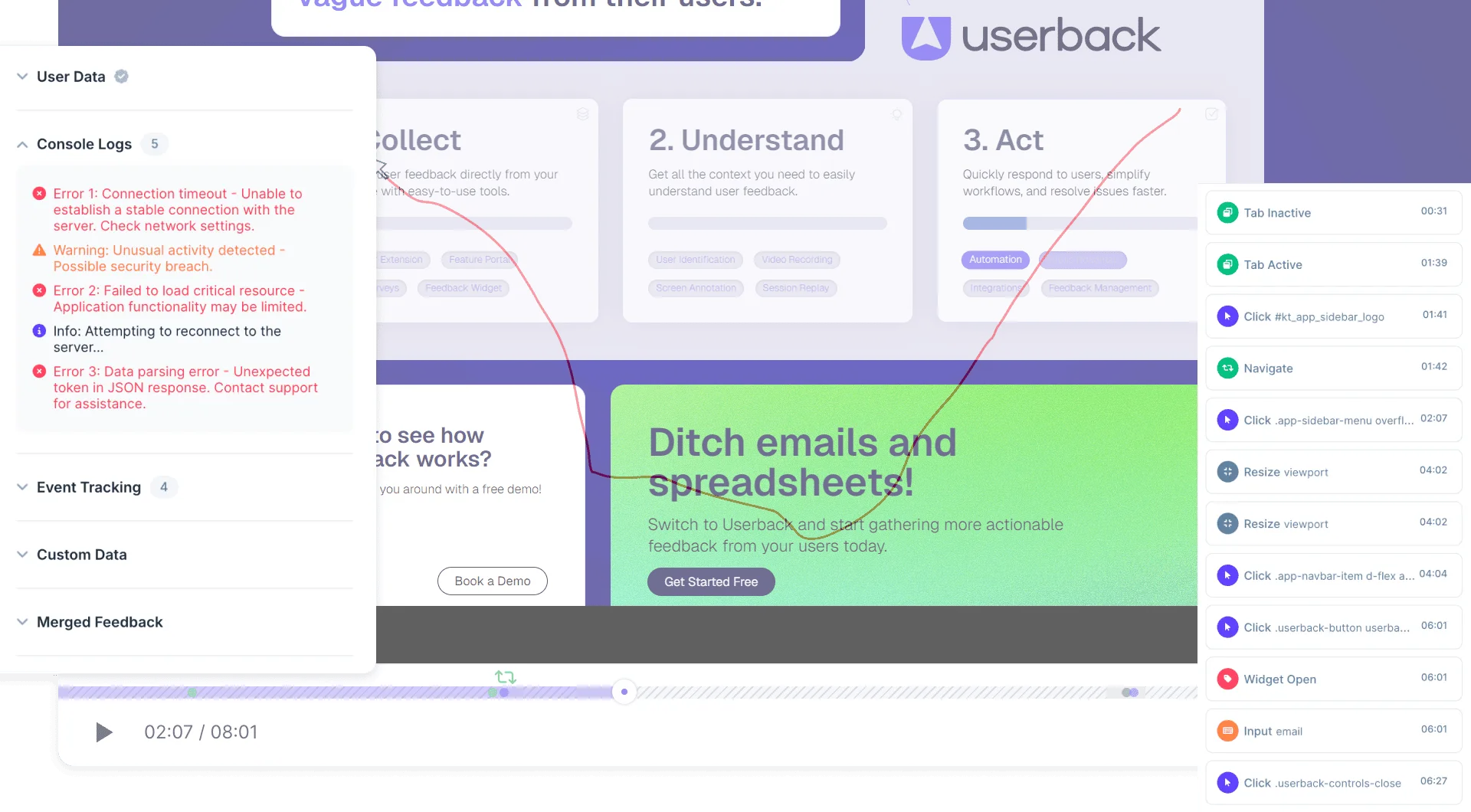
Prevent miscommunication and resolve WordPress issues up to 70% faster by capturing precise user feedback right at the source.
- Session Replays to instantly understand WordPress user interactions
- Capture meta-data including browser info, console logs, and screen size
- Understand complex website issues with Video Recordings
Streamline user feedback management
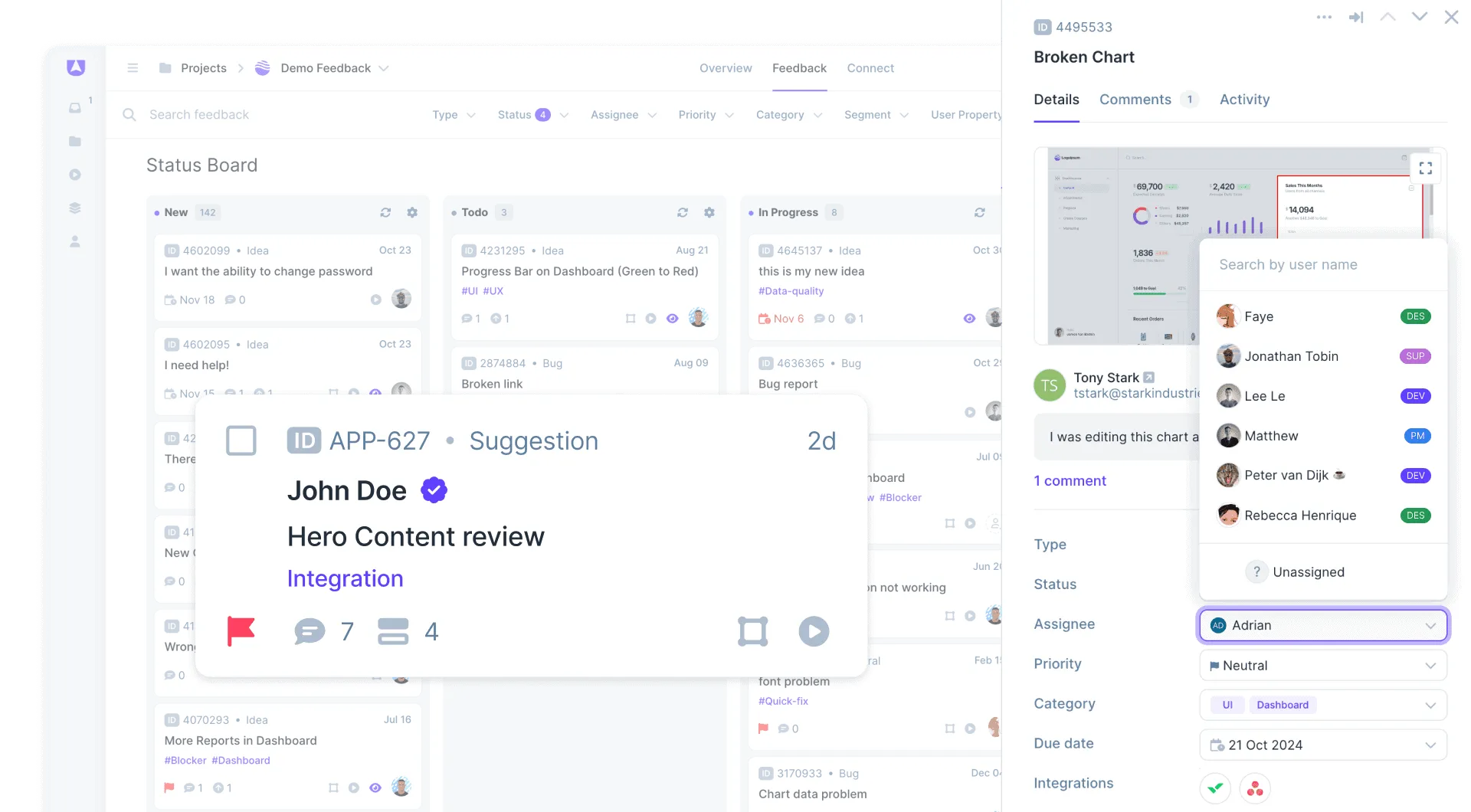
Centralize all feedback in Userback’s powerful dashboard, or seamlessly sync with your favorite project management tools, allowing your team to resolve issues faster.
- Capture surveys, bugs and feedback together in one place
- 2-way sync integrations with tools like Jira, Slack, ClickUp and API
- Assign feedback, track progress, and collaborate with your team
Gather specific feedback with customizable surveys
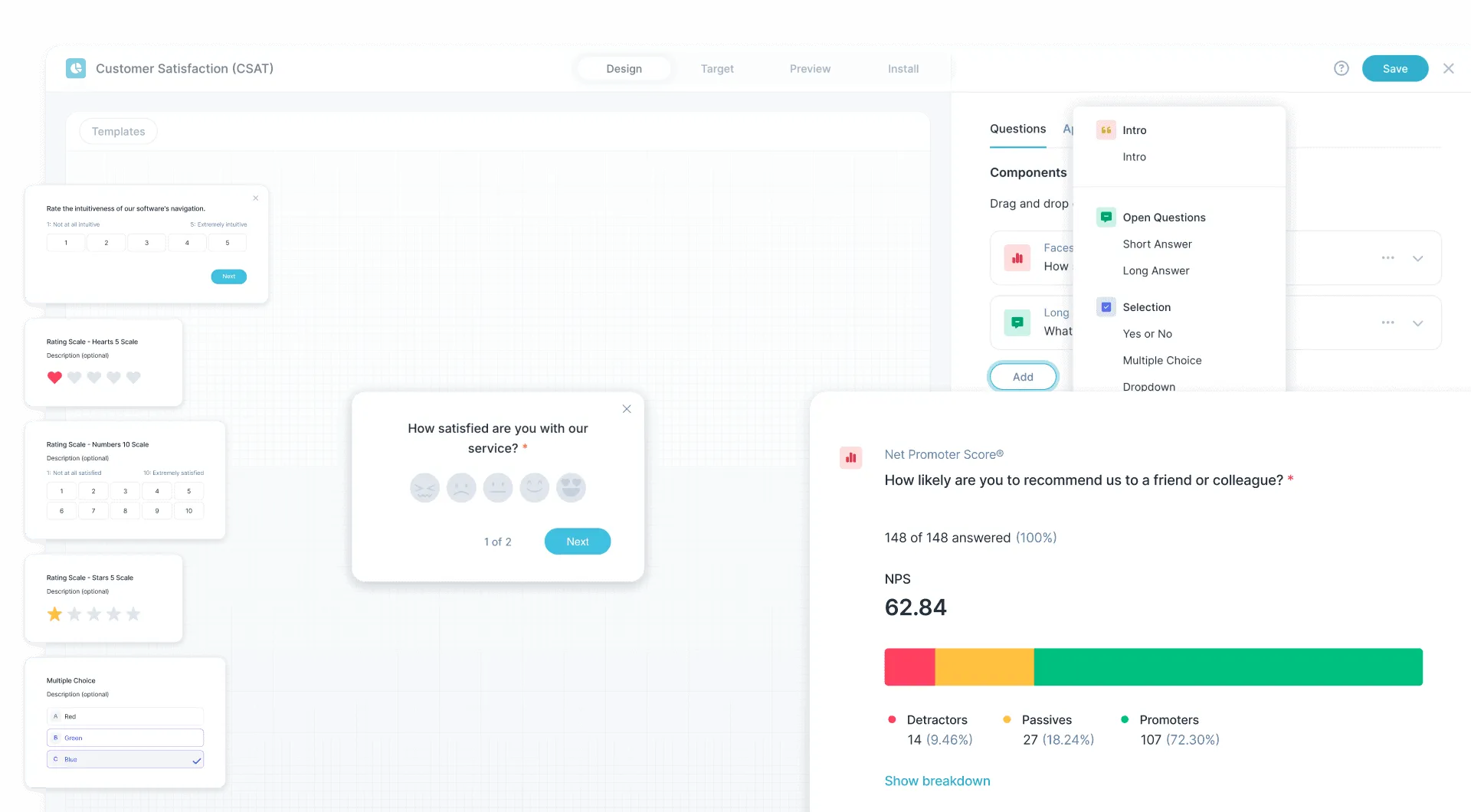
Go beyond basic feedback collection and create targeted surveys to understand user behavior, satisfaction, and preferences by asking the right questions at the right time.
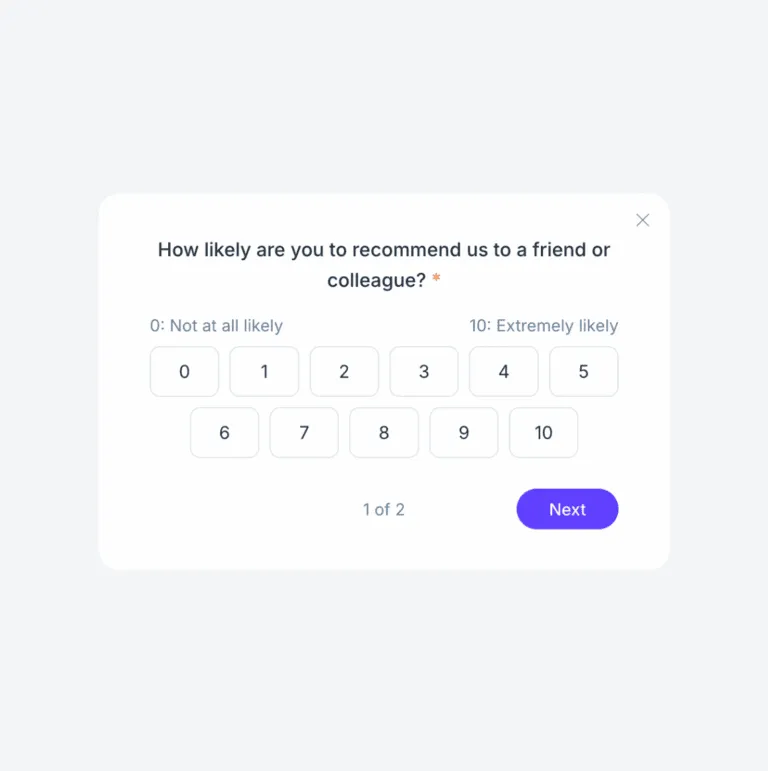
- Create NPS, CSAT, and customer feedback surveys
- Target feedback surveys based on user behavior
- Analyze survey results with built-in reporting
How to Collect Visual Feedback on WordPress
A WordPress feedback plugin enables visual bug reports, user surveys, and feature requests directly on WordPress websites. Web agencies use it to collect client feedback during development and review cycles. Site owners use it to gather user input for ongoing improvements. The plugin installs without code changes through the WordPress admin.
How It Works
1. Install: Add the Userback plugin to WordPress. Activate and configure in the admin panel—no code changes required. 2. Collect: Visitors and clients submit visual feedback with annotated screenshots, video recordings, and surveys. 3. Manage: Review feedback in the dashboard, assign to team members, and integrate with project management tools.
Key Benefit
Web agencies streamline client feedback cycles with visual context instead of vague email descriptions. WordPress site owners collect actionable user input without technical setup. Feedback includes exact visual location and browser context for every submission.
Best For
- Web agencies collecting client feedback during development
- WordPress developers managing revision requests
- Site owners gathering visitor feedback
- WooCommerce stores collecting customer input
- Membership sites understanding user needs
Popular WordPress Feedback Templates

Once you’ve used Userback, you’ll wonder how you ever ran a web design agency without it. Honestly, it feels like our secret weapon.

Frequently asked questions
Userback is a visual feedback and bug reporting tool that helps you collect feedback from website visitors, software users, and internal teams. The WordPress integration makes it easy to add a feedback widget to your website, allowing users to report issues, share ideas, and provide comments with screenshots and annotations. Our solution transforms how you gather feedback on your WordPress site by enabling real-time feedback collection directly on your live website, eliminating the need for complex feedback forms or email chains.
Yes! Our solution allows you to customize the widget’s appearance, feedback types, colors, and branding to perfectly align with your website’s design and brand identity. You can modify button styles, color schemes, positioning, feedback form fields, and even add your company logo. It’s fully responsive and adapts to your site’s mobile and desktop layouts, ensuring a seamless user experience across all devices while maintaining your brand consistency.
Yes! You can configure feedback workflows, automate notifications, and sync responses with tools like Jira, Trello, and Slack. Our robust integrations include popular project management platforms like Asana, ClickUp, Monday.com, GitHub Issues, Azure DevOps, and Basecamp. Additionally, we offer webhook support and a comprehensive REST API for custom integrations. You can set up automated workflows that trigger actions based on feedback type and more to streamline your team’s response process.
No, our solution is lightweight and optimized for performance. It loads asynchronously, meaning it won’t impact your website’s loading speed or performance metrics. The widget script is less than 50KB compressed and loads only after your main content is fully rendered. We use advanced caching techniques and CDN distribution to ensure minimal impact on Core Web Vitals scores. Regular performance audits ensure our tool maintains excellent page speed scores across different hosting environments.
Yes! Our tool allows you to control who can submit feedback with granular permission settings. You can configure the plugin to only appear for logged in users, ensuring feedback comes from registered members, customers, or your internal team. Advanced targeting options include user role restrictions and time-based visibility controls. You can also create different feedback experiences for different user groups, such as showing simplified forms for customers and detailed bug reporting forms for internal teams.
Yes, to compliment the free WordPress plugin Userback also offers a free plan to collect unlimited website feedback without any cost restrictions. This plan includes essential features such as the feedback widget, user surveys, basic customization options, and email notifications, enabling you to experience how the platform works before committing to a paid plan. Paid plans unlock advanced features like session replays, premium integrations, custom branding, and priority support.
No, we haven’t encountered any major compatibility issues with popular WordPress plugins and themes. Our plugin is designed to work seamlessly with most WordPress environments, including page builders like Elementor, Divi, and Gutenberg. If you ever encounter any conflicts, simply report them to our support team and we’ll work to resolve them quickly.
Importantly, you should not exclude our script from caching or optimization plugins (like W3 Total Cache, WP Rocket, or Autoptimize) as this may prevent the widget from loading properly. If you’re using a security plugin, you may need to whitelist our domain to ensure proper functionality. We provide detailed documentation for common plugin configurations and our support team can assist with any setup questions.
Our screenshot annotation system automatically captures the current page state when users submit feedback, including the exact viewport, scroll position, and visible content. Users can then draw arrows, add text boxes, highlight areas, or place numbered markers directly on the screenshot to pinpoint specific issues or suggestions. The system also captures relevant technical metadata like browser version, screen resolution, operating system, and console errors that occurred on the page, providing developers with comprehensive context for each report.