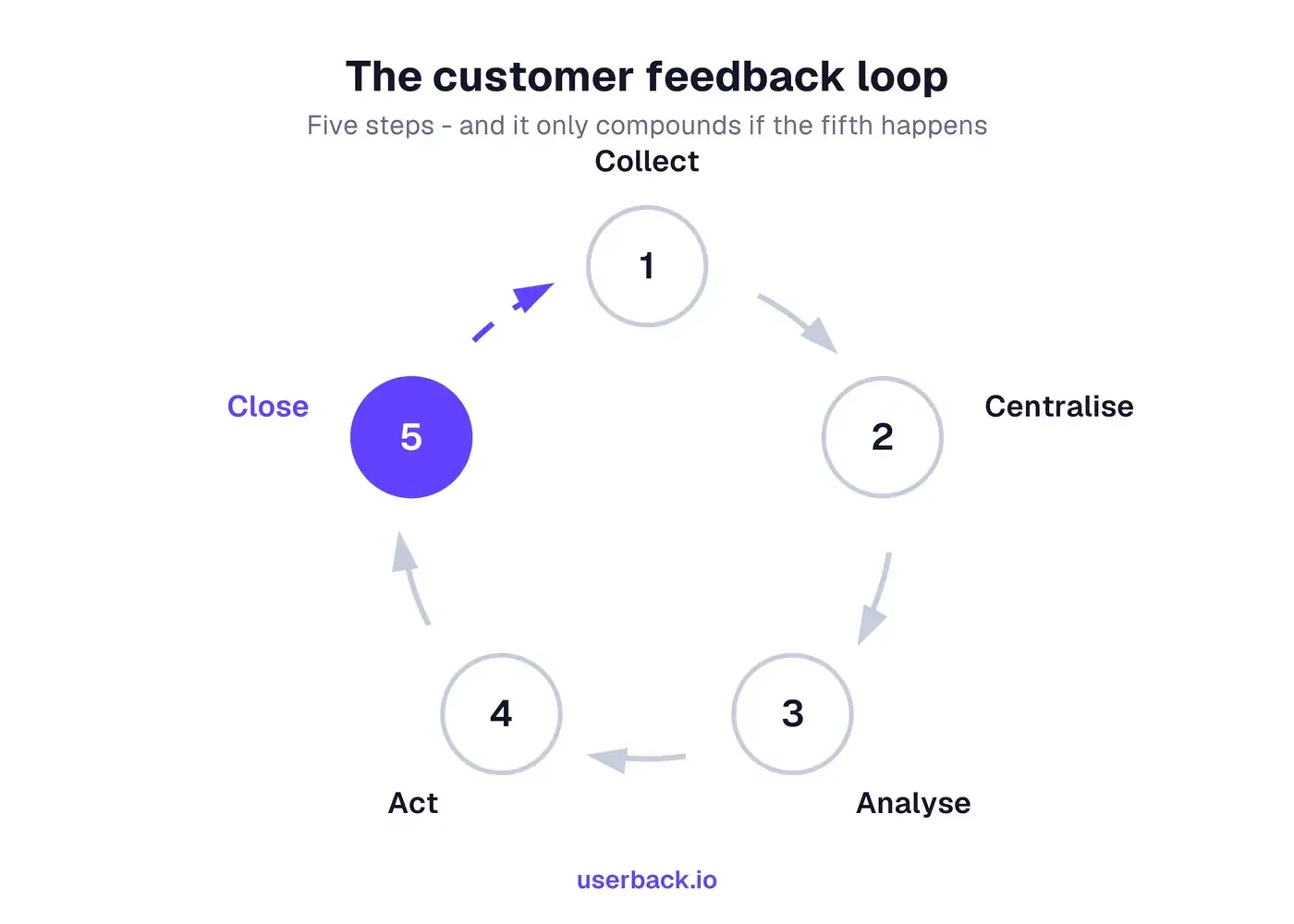
A customer feedback loop is the repeating cycle a team runs to gather customer feedback, centralise it, analyse it, act on it, and report back to the people who asked. Most teams manage the first four. The fifth is what turns a backlog into a loop, and what turns customer input into customer loyalty.
Key Takeaways
Five steps: collect, centralise, analyse, act, close the loop
Loops usually break at centralising: scattered feedback makes one big theme look like four small ones
Closing the loop includes saying no, with a reason
Collection should be continuous; closing should happen on status change, not in batches
What is a customer feedback loop?
A customer feedback loop is the repeating cycle a product team runs to collect user feedback, centralise it, analyse it, act on it, and tell the people who asked what changed. It is a loop rather than a funnel because the last step feeds the next round of collection, and it is how teams turn scattered customer input into a measurable improvement in customer experience.
The word doing the work is loop. Most teams collect feedback and act on some of it, which is a line, not a loop. What closes the circle is the final step: going back to the person who raised it. That is the step almost everyone skips, and it is the one that makes the next round better. Close the loop with customers reliably and you are no longer running a survey programme — you are running a system that compounds customer satisfaction and customer loyalty over time.
What are the 5 steps of a feedback loop?
Collect, centralise, analyse, act, close. Each step depends on the one before it, and the loop only compounds if the last one actually happens.
1
Collect: from every channel, continuously
Getting feedback from your customers should not depend on remembering to ask for feedback. It arrives through the widget in your product, support tickets, sales calls, NPS and CSAT responses, and the public roadmap. Collecting means capturing all of it continuously. Every touchpoint on the customer journey is a place to gather feedback, not just the annual survey. A loop that only turns when someone remembers to send a survey is not a loop.
2
Centralise: one place, duplicates merged
This is the step most versions of this list leave out, and it is where loops actually break. Feedback spread across a helpdesk, a spreadsheet, three Slack channels and someone’s inbox cannot be analysed, because nobody can see how often the same thing was said. Centralising means one destination and one record per issue, with duplicates merged rather than counted twice, so feedback from your customers can be counted by how many people actually raised it.
3
Analyse: themes, frequency, and impact
Group what arrived into themes, then weigh each by how often it came up, who it came from, and what it blocks. This is where the voice of the customer becomes a ranked list rather than an anecdote. Volume alone misleads: twenty low-value requests can drown one from the account about to churn. The output of this step is a ranked list, not a summary.
4
Act: decide, and decide what not to do
Acting includes declining. A loop where everything sits “under consideration” is a backlog, not a decision process. To act on customer feedback properly, each theme should end in build, fix, defer with a reason, or decline with a reason — and that reason is what makes step five possible.
5
Close the loop: tell the people who asked
Go back to the individuals who raised it and say what happened, including when the answer is no. This is the step that converts feedback into trust and customer loyalty, and it is why people give you feedback a second time. A public roadmap does part of this job; a direct reply does the rest.
The loop only compounds if step five happens: it is what makes the next round of feedback better.
Why most feedback loops break at step two
Ask a team where their loop fails and they will usually say they do not have time to act on it all. That is rarely the real problem. The real problem is that nobody can see the whole picture, because the feedback never reached one place.
When the same request arrives four times through four channels, it looks like four small requests instead of one significant one. The theme that should have topped the list reads as noise. Teams then prioritise by whoever asked loudest or most recently, which feels like judgement but is really an artefact of scattered data.
That is why centralising is a step in its own right rather than a tooling detail. It is the difference between counting feedback and understanding it, and everything downstream depends on it: one record per issue, with every instance attached.
Where product feedback actually comes from
Channel
Good for
Misses
In-app widget
Specific, in-context reports while the user is in the moment
People who never open it
Support tickets
Problems severe enough to complain about
Mild friction nobody bothers to report
NPS and CSAT surveys
Customer satisfaction score and how sentiment moves over time
The reason behind the score, unless you ask
Sales and churn calls
What lost or nearly-lost deals needed
Existing happy users
Public roadmap and voting
Demand signal and relative priority
Users who will not create an account
Session recordings
What people actually did, rather than what they say they did
Intent: you see the what, not the why
No single type of feedback or channel is representative on its own. A loop needs at least one passive channel (recordings, tickets) alongside an active one (widget, survey), or you only ever hear from people motivated enough to speak up.
How to close the feedback loop
Closing the loop with customers means going back to the person who raised something and telling them what happened to it. It is the step that separates a feedback programme from a customer experience one, and three things make it work in practice.
Reply to the individual, not just the roadmap. A public shipped column is useful, but it does not reach the person who wrote in. Notify the actual requester. Most feedback tools can do this automatically when an item changes status.
Close it when the answer is no. Telling someone you are not building this, and why, is a better experience than silence and costs one sentence. Silence is what teaches people not to give feedback next time.
Say what changed, not that you are listening. Thanking someone for their valuable input closes nothing. Telling them the CSV export they asked for shipped in this week’s release closes it.
Positive and negative feedback need different loops
Most advice treats customer feedback as one stream. In practice negative feedback and positive feedback travel differently, and a loop that handles only the first is doing half the job.
Negative feedback is urgent and specific. A customer reporting a broken checkout wants it fixed and wants to know when. The risk of ignoring it is churn, so it belongs on a short clock: acknowledge quickly, resolve, then tell them personally. Left unanswered it becomes a negative feedback loop of its own, where silence produces frustration, frustration produces less feedback, and you lose the early warning entirely.
Positive feedback is diagnostic and easy to waste. A high customer satisfaction score tells you something is working, but not what. Ask the follow-up: which part, and why. Then you learn which customer needs you are actually meeting. Positive feedback also identifies the people worth asking for a review, a case study, or a beta test, which is customer success work rather than support work.
Teams that run positive and negative feedback loops separately also tend to hear from a wider customer base, because the only people who volunteer unprompted are the very happy and the very annoyed. The practical rule: route negative feedback by severity and positive feedback by opportunity. Both close the same way — by going back to the customer.
An open loop and a closed loop, side by side
Open loop
Feedback goes in, nothing comes back
Collect
Quarterly survey, plus whatever reaches support
Store
Spreadsheet, helpdesk, two Slack channels
Decide
Whoever asked most recently, or loudest
Follow up
None
Response rates fall each round, because nothing visibly came of the last one.
Closed loop
Every item ends in an answer
Collect
Always-on widget, surveys, portal, recordings
Store
One inbox, duplicates merged into a single record
Decide
Ranked by frequency, account value and what it blocks
Follow up
Requester notified on status change, declines included
Each round produces better feedback than the last, because people saw the last one land.
Running the loop without the admin
Every step above is possible with a spreadsheet and discipline. Loops fail because the discipline has to hold every week, and it does not, so the customer value you could have captured leaks away between rounds.
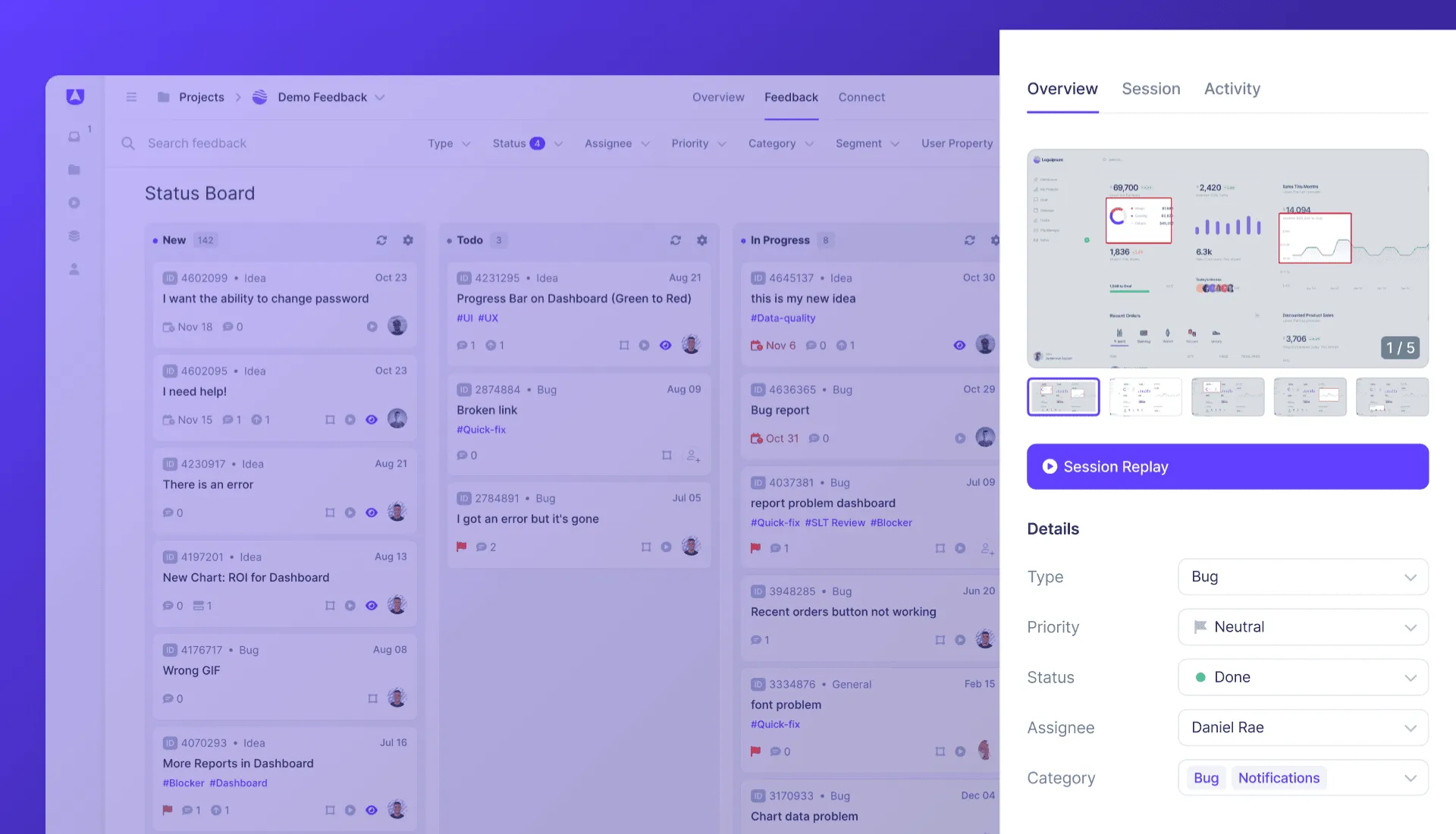
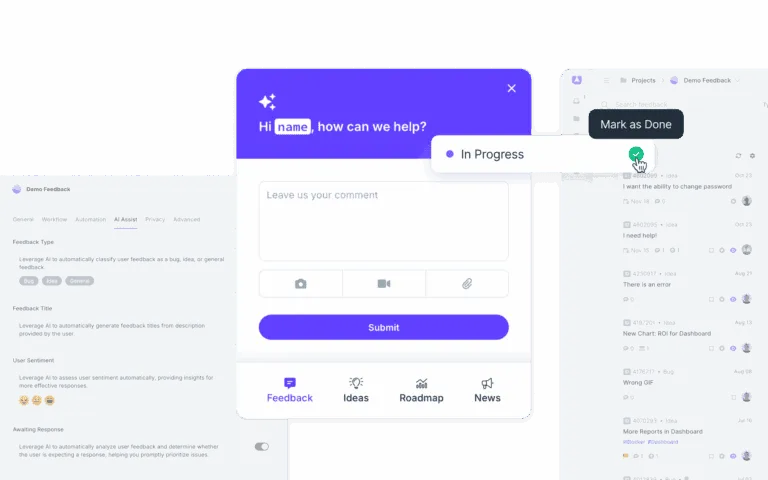
What changes the odds is removing the manual steps rather than trying harder at them. Feedback captured in-product arrives with the page, browser, console and a recording already attached, so nothing has to be chased. It lands in one inbox rather than four, so duplicates merge into a single record instead of reading as separate requests. Status changes notify the person who asked, so closing the loop becomes the default rather than a task someone has to remember.
Collect feedback from every channel, centralise it in one place with duplicates merged, analyse it into ranked themes, act by deciding what to build and what to decline, then close the loop by telling the people who asked what happened.
Can you give an example of a customer feedback loop?
Here is one of the simplest customer feedback loop examples. A real customer reports through the in-app widget that CSV export is missing. The request lands in one inbox, where it merges with three earlier requests for the same thing. That makes it the fourth most-requested item, so it enters the next sprint. Collecting customer feedback in one place is what made that visible. When it ships, everyone who asked is notified, including the three who asked months earlier.
How does a customer feedback loop improve customer experience?
It shortens the distance between what customers say and what changes. Acting on customer feedback fixes the friction that drives churn, and closing the loop shows customers their input mattered, which raises customer satisfaction and customer loyalty independently of the fix itself. The measurable effects usually show first in your customer satisfaction score and in repeat feedback rates.
What is the difference between a feedback loop and a feedback funnel?
A funnel ends when feedback reaches the team. A loop ends when the answer reaches the person who gave it, and that answer shapes the next round of feedback. If nobody hears back, you have a funnel.
How often should a feedback loop run?
Collection should be continuous rather than scheduled. Analysis suits a regular cadence. Most product teams review weekly or per sprint. Closing the loop should happen on status change rather than in a batch, because the value decays the longer you wait.
Do you need a tool to run a feedback loop?
No. Small teams run one with a shared inbox and a spreadsheet. A tool earns its place when volume makes deduplication manual work, or when closing the loop stops happening because nobody has time to write the replies. See the customer feedback glossary entry for how the pieces fit together.
Close the loop without chasing it
Userback collects feedback in one place and notifies the people who asked when their request ships.