Bug tracking in Jira means logging a defect as a Bug issue type, setting severity and priority, assigning it to a person, and moving it through a workflow until the fix is verified. Jira does that well. What it cannot do is make the bug report any good in the first place.
Key Takeaways
Log defects as the Bug issue type, not Task, or you cannot report on bug volume at all
Severity and priority are different questions and belong in different fields
Every workflow status needs exactly one owner, and Reopened needs to be a real transition
Most Jira bug tracking pain starts before Jira: reports that arrive without the environment or steps to reproduce
What is bug tracking in Jira?
Bug tracking in Jira is the process of logging a defect as a Bug issue type, prioritising it, assigning it to a team member, and moving it through a workflow until the fix is verified and the issue is closed. Jira is the system of record for the bug, not the place the bug is found.
Software development teams use Jira as the system of record for every software bug they know about, and that part works. What Jira has no opinion on is whether the report is any good. A Jira ticket that arrives without steps to reproduce still costs a developer the same half hour of guessing that it would in a spreadsheet.
What Jira gives you for bug tracking
Jira Software is project management software that treats a defect as one issue type among several, so bug tracking with Jira inherits everything the rest of the system already does. Teams who use Jira for bug tracking rely on five tracking features in particular.
Issue types and custom fields. Jira provides Bug as a default type and lets you add fields such as severity, affected version or environment. Those fields are what later make bug reports filterable rather than merely readable.
Workflows. A custom workflow defines the statuses a defect passes through and who may move it. Jira allows a separate workflow for bugs, so defects need not follow the same path as feature work.
Attachments and comments. A screenshot, a log file or a video attachment lives on the issue itself, and the comment thread becomes the record of how the bug is handled.
Boards, filters and dashboards. JQL filters turn a pile of Jira issues into a view: open defects by severity, bug resolution time by team, defects per release. This is where Jira offers more than a spreadsheet ever will.
Automation. Rules react to bug status changes, notifying a stakeholder or reassigning automatically, which helps teams keep tickets moving without a standing meeting.
How to track a bug in Jira, step by step
Report, triage, assign, work, verify. Five stages, and the two that get skipped most often are triage and verification.
1
Report the bug as a Bug issue type
Create a bug in the Jira project the affected code lives in, and set the issue type to Bug rather than Task. The type is what makes the defect countable later: dashboards, defect-density reports and release-readiness filters all key off it. Fill the description with environment, steps to reproduce, expected result and actual result, and add screenshots or a recording as an attachment rather than describing what you saw.
2
Triage it: severity, then priority
Triage is a decision about order, and it happens before anyone is assigned. Severity records how badly the software is broken; priority records how soon your team will deal with it. Set both, because they answer different questions and they routinely disagree. A cosmetic typo on the pricing page is low severity and high priority.
3
Assign it to a specific person
Assign the issue to one named team member, not to a component or a team queue. Jira will happily hold an unassigned bug forever, and unassigned is the state bugs die in. If you genuinely do not know who owns it, assign the triage owner and let them reassign it, so the issue always has someone accountable for its next move.
4
Move it through the workflow
The bug moves through the workflow your team uses: open, in progress, in review, ready for QA, done. Each transition should be driven by the person doing that work rather than by a weekly status meeting. Link the issue to the branch or pull request so the code and the ticket stay connected, and note the fix version so the defect appears in the right release report.
5
Verify the fix, then close the issue
Someone other than the developer confirms the bug is fixed, on the environment where it was reported. Close the issue with a comment saying what the cause was, not just that it is done. That comment is what makes the ticket useful in six months when the same defect comes back, and it is the difference between a bug tracker and a bug graveyard.
Bug, task or story: which Jira issue type to use
Issue type
Use it when
Example
Bug
Something already built does not work as intended
A defect with steps to reproduce
Task
A piece of work that is not a defect and not user-facing
Upgrade a dependency, rotate a key
Story
New behaviour a user will notice, written from their side
“As an admin I can export a CSV”
Epic
A container for related stories and bugs
A whole feature area or release theme
Sub-task
A slice of one parent issue, same workflow
The backend half of one bug fix
The distinction that matters in practice is Bug versus Story: a bug is behaviour that is broken against an expectation you already agreed, a story is behaviour that does not exist yet. Teams that log defects as tasks lose the ability to report on bug volume at all.
Priority and severity are two different fields
Jira ships with a Priority field. Most teams that take bug tracking seriously add Severity as a custom field alongside it, and the reason is that one field cannot answer both questions.
Severity is technical and objective. It describes how broken the software is: does it crash, does it lose data, is there a workaround. A QA engineer can set it without knowing anything about the roadmap.
Priority is commercial and negotiable. It describes when your team will fix it, given everything else in flight. It belongs to whoever owns the backlog.
They disagree often, and the disagreement is informative. A crash that only occurs in a browser version two of your users still run is high severity and low priority. A misspelled company name in the checkout flow is trivially low severity and worth stopping the sprint for. Collapsing both into a single Priority dropdown is what produces the familiar argument where everything is Critical.
The same bug, logged two ways
Bounces back
“Checkout is broken”
Summary
Checkout is broken
Environment
Empty
Steps to reproduce
“Just try to pay”
Evidence
None
Priority
Critical, set by the reporter
First developer action is a comment asking which browser. The issue sits in Open for three days waiting for an answer.
Gets fixed
“Pay button does nothing on Safari 17, cart over 10 items”
Summary
What broke, where, under which condition
Environment
Safari 17.2, macOS 14, /checkout, logged in as admin
Steps to reproduce
Three numbered steps, ending in the failure
Evidence
Screenshot, console error, session recording
Priority
Set at triage; severity Major recorded separately
First developer action is opening the console error. The ticket is assigned the same morning.
A Jira bug workflow that survives contact with a real team
Status
What it means
Who moves it
Open
The bug is logged and triaged, nobody has started
Triage owner
In Progress
A named developer is working the fix
Assignee
In Review
Code review on the linked pull request
Reviewer
Ready for QA
Merged and deployed to a test environment
Assignee
Verified
Reproduced as fixed by someone other than the author
QA or reporter
Closed
Fix version set, cause recorded in a comment
QA or triage owner
Reopened
Verification failed, back to a named assignee
Whoever verified
A Jira workflow should mirror your team’s workflow, not an idealised one. Two rules keep it honest: every status has exactly one owner, and Reopened is a real transition rather than a new issue. Without Reopened you cannot measure how often fixes fail, which is the single most useful number a bug tracking system produces.
Jira bug tracking best practices
Most bug tracking best practices are really about effective bug reporting: removing ambiguity before a developer reads the ticket. Five hold up across teams of any size.
Standardise what a report contains. A bug report template in Jira, set as the default description on the Bug issue type, is the cheapest improvement available: it turns an empty box into a list of prompts. Our bug report template guide covers the fields worth making required.
Triage on a schedule, not on demand. A short daily pass that sorts and prioritises each new bug report beats an ad-hoc scramble whenever someone shouts. Consistent bug prioritization is what keeps the bug resolution process predictable and lets the team resolve bugs in the order that matters.
Track how long resolution takes. Jira reports on it for you. Rising issue resolution time usually means reports are arriving incomplete, not that developers got slower — which makes it an early warning rather than a performance metric.
Link every defect to the code that fixes it. Connecting Jira to your repository puts the branch, the pull request and the deploy on the issue, so anyone can see how the bug is handled without asking. It also lets you close the loop on bug fixes automatically.
Do not make Jira the capture tool. Asking a customer or a non-technical colleague to create a Jira ticket is how you get one-line bug reports. Let people report bugs where they hit them, and let Jira receive something already complete.
Where bug tracking in Jira actually breaks
Ask a team what is wrong with their bug tracking and they will describe Jira problems: too many statuses, stale tickets, dashboards nobody reads. Watch the same team for a week and the real cost sits somewhere else entirely, before Jira is ever opened.
It is the round trip. A bug is reported without the browser version, so a developer asks. The reporter answers two days later, from memory, and is wrong. Nobody can reproduce it, the ticket moves back, and it ages. None of that is a workflow problem, and no amount of configuration fixes it, because the information was already lost at the moment the bug was seen.
Bug tracking tools like Jira are issue tracking software: they are built for managing and resolving bugs that already exist as records. Bug capture is a different job, and Jira was never the tool for it. This is why Atlassian’s own best-practice advice is to standardise required fields, and why that only half works. You can make environment mandatory. You cannot make the person filling it in know their browser version, and a required field they cannot answer just teaches them to type “Chrome” and move on — so nobody can fix the bug without a second conversation.
The fix is to stop asking. If the report is captured where the defect happened, the environment, the console output and a visual recording of what the user did are already known and can be attached automatically. Then Jira does the job it is genuinely good at: tracking, prioritising and reporting on defects that arrived complete.
Filling the Jira ticket in before anyone opens Jira
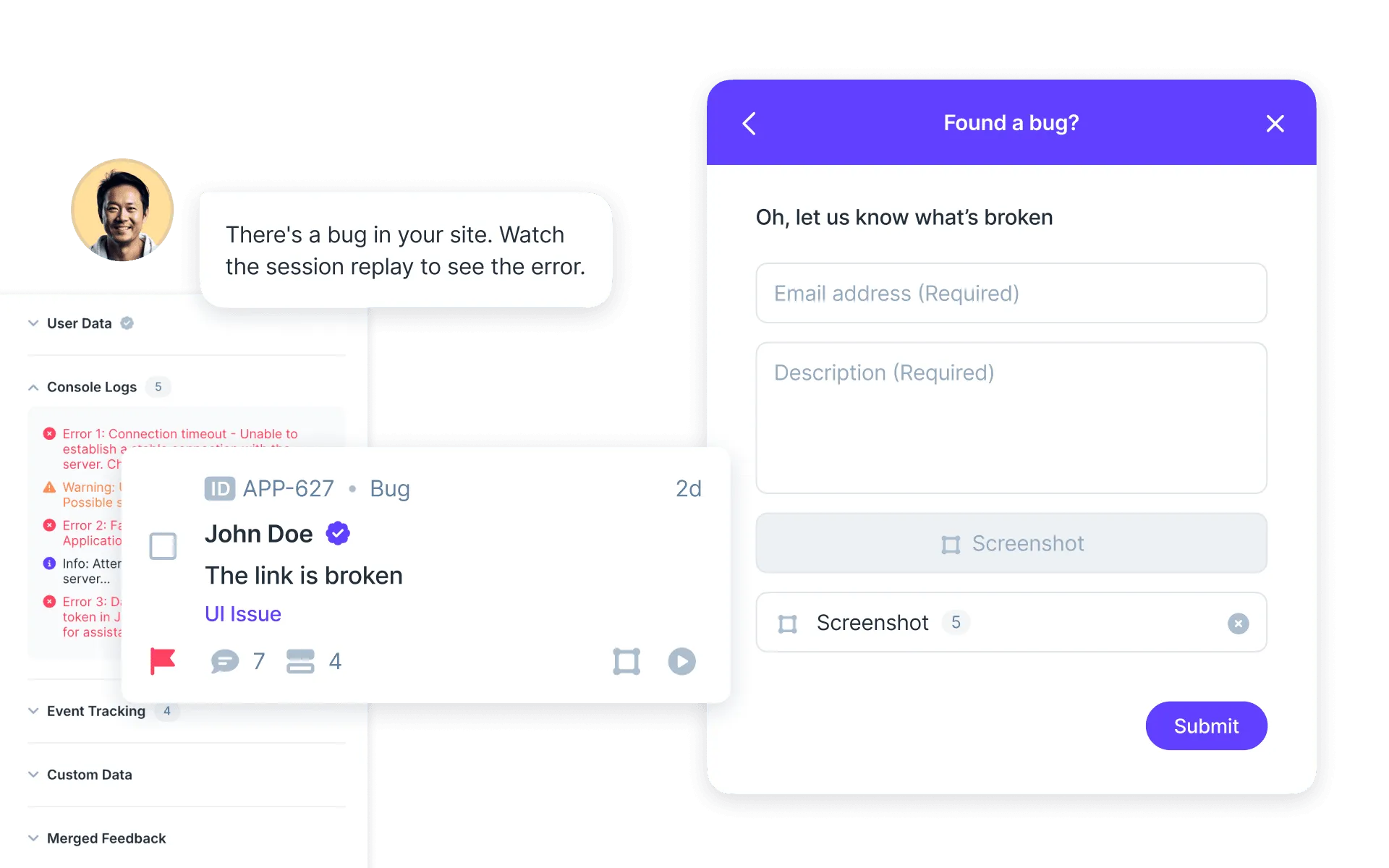
Userback sits at the point where the bug is seen rather than where it is tracked. A user or a tester reports a visual bug directly from inside your product, annotates the screen, and it arrives with the URL, browser and version, operating system, screen size, console errors and a session replay already attached.
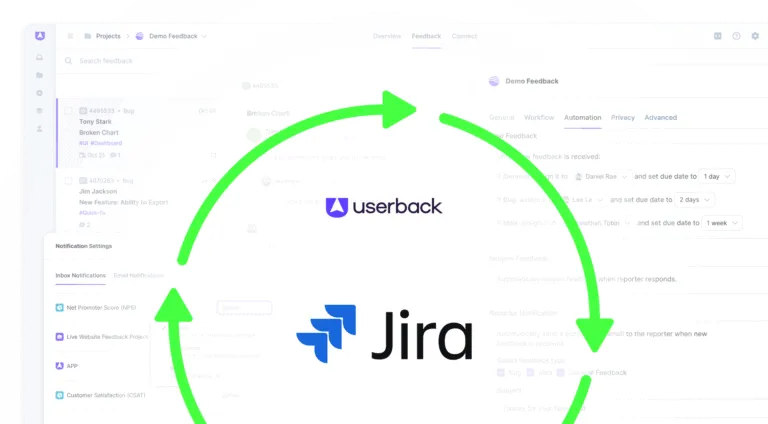
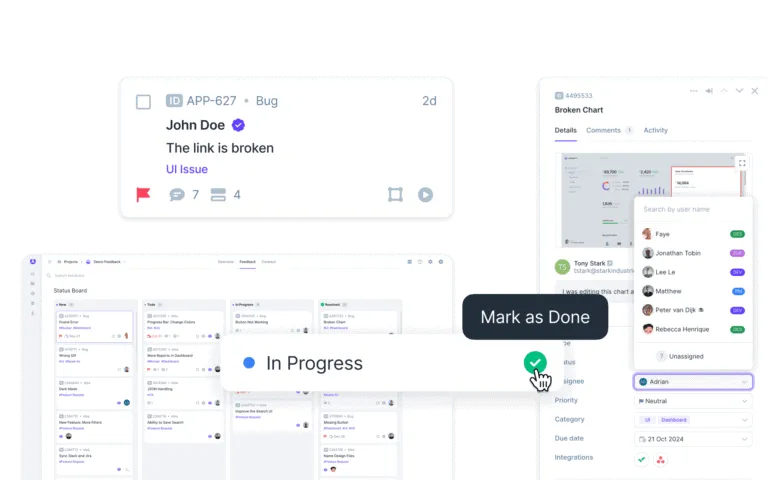
The Jira integration then creates the issue as a Bug in the Jira project you choose, maps the captured environment onto your custom fields, and keeps status in sync both ways — so closing the item directly from the Jira ticket closes the feedback too. Your workflow, your issue types, your dashboards, none of it changes. What changes is that the ticket arrives reproducible, making it easier to fix on first read.
A bug is one of Jira’s default issue types. It represents behaviour that already exists and does not work as intended, as opposed to a story, which represents behaviour that does not exist yet. Setting the type correctly is what lets you filter, count and report on defects separately from feature work.
How do I track bugs in Jira?
Create the defect as a Bug issue type in the relevant project, set severity and priority at triage, assign it to a named team member, move it through your workflow as the fix is written and reviewed, then have someone other than the developer verify it before it is closed. The details about the bug that decide how fast this goes — environment, steps, evidence — are captured at the very first step.
Can Jira be used for issue tracking?
Yes. Jira is an issue tracking tool first and a bug tracking tool by configuration: bugs are one issue type among several, sharing the same workflow engine, custom fields, permissions and dashboards as every other kind of work.
What is the difference between a bug and a story in Jira?
A bug is a defect measured against an expectation you already agreed. A story is new behaviour, written from the user’s point of view, that has not been built. If nothing is broken and the work adds something, it is a story.
How do I prioritize bugs in Jira?
Prioritise at triage, using severity and priority as separate inputs. Severity says how badly the product is broken and whether a workaround exists; priority says when your team will fix it given everything else in flight. Record who is affected, because a low-severity bug on a high-value account often outranks a technically worse one.
How do I set up a bug workflow in Jira?
Start from Jira’s default bug workflow and add only the statuses your team genuinely stops at, giving each one a single owner. Include a Reopened transition so failed fixes are visible, and link issues to pull requests so status changes follow the code rather than a status meeting.
Does Jira replace a bug reporting tool?
No. Jira tracks bugs after they are reported; it does not capture them. Teams generally pair Jira with something at the point of capture, such as a bug reporting tool that attaches the environment and a recording automatically, so the Jira issue arrives reproducible.
Tickets that arrive reproducible
Userback captures the environment, console output and a session replay, then opens the Jira issue for you.